
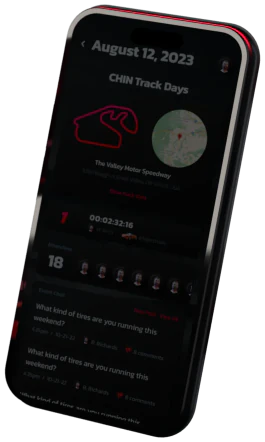
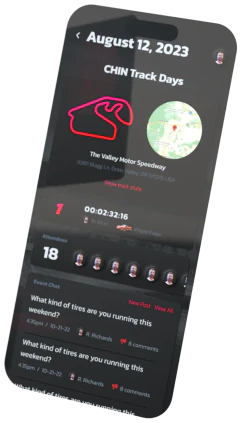
Bespoke Membership Experience
145 iOS screens + 4 codebases
Race day just got more competitive
- Role
- Principal designer: UX, UI and design system
- Client
- Rafa Racing Club
- Timeline
- Oct 2022 to Dec 2023
- Team
- A developer, a payments specialist and a project manager
- Platform
- iOS, web admin and consumer web
- Scope
- Principal Designer · Native App · Web · Design System
- Context
- A private racing club needed one product to run applications, events, lap times, simulator bookings and a shop. Nothing off the shelf could hold that whole operating model.
- Intervention
- We designed iOS, web admin and consumer web on one dark, native design system, with a car hashtag as each member’s identity on every surface.
- Results
- We partnered with Orbus Innovation to design it end to end and built the full front end, then waited on client approval to connect the backend.
Outcomes
145
iOS screens across 4 codebases
2 days
per new screen, down from 5 days, once one design system served every codebase
14
TestFlight builds shipped to beta
Build the thing that does not exist yet.
The market for private motorsports club software had a clear gap. Generic event platforms could handle ticketing. CRMs could handle members. Nothing could hold a racing club’s full operating model in a single coherent product. Approval-gated membership, tiered access, car profiles with hashtag identities, lap data, community, and a simulator booking system. That gap was the brief.
- 01 — Apply online
- Web membership form
- 02 — Admin reviews
- Approval dashboard
- 03 — Pay to join
- Stripe membership tiers
- 04 — Access app
- Full iOS experience
- 05 — Race. Log. Compete.
- Events, laps, leaderboard
Dark, native, and built to feel like the sport.
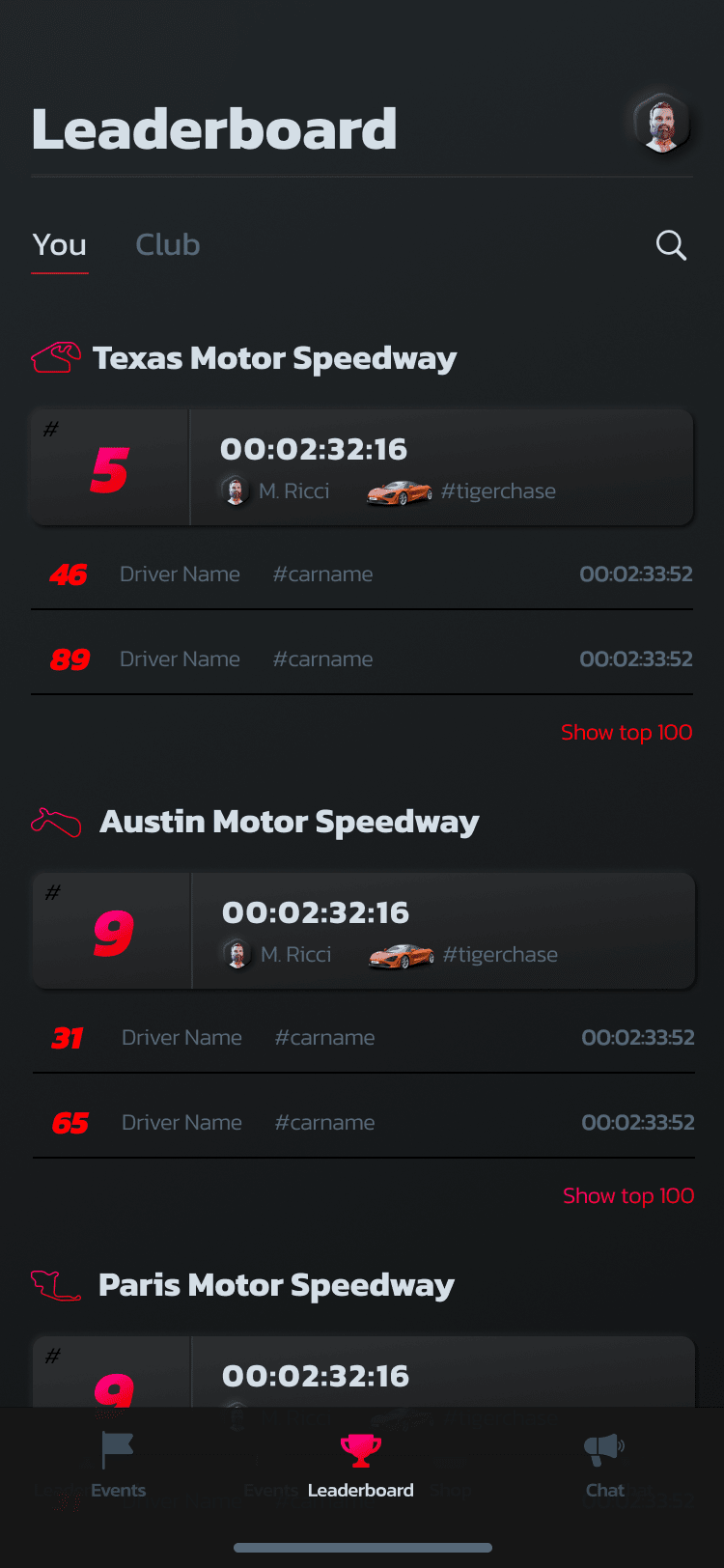
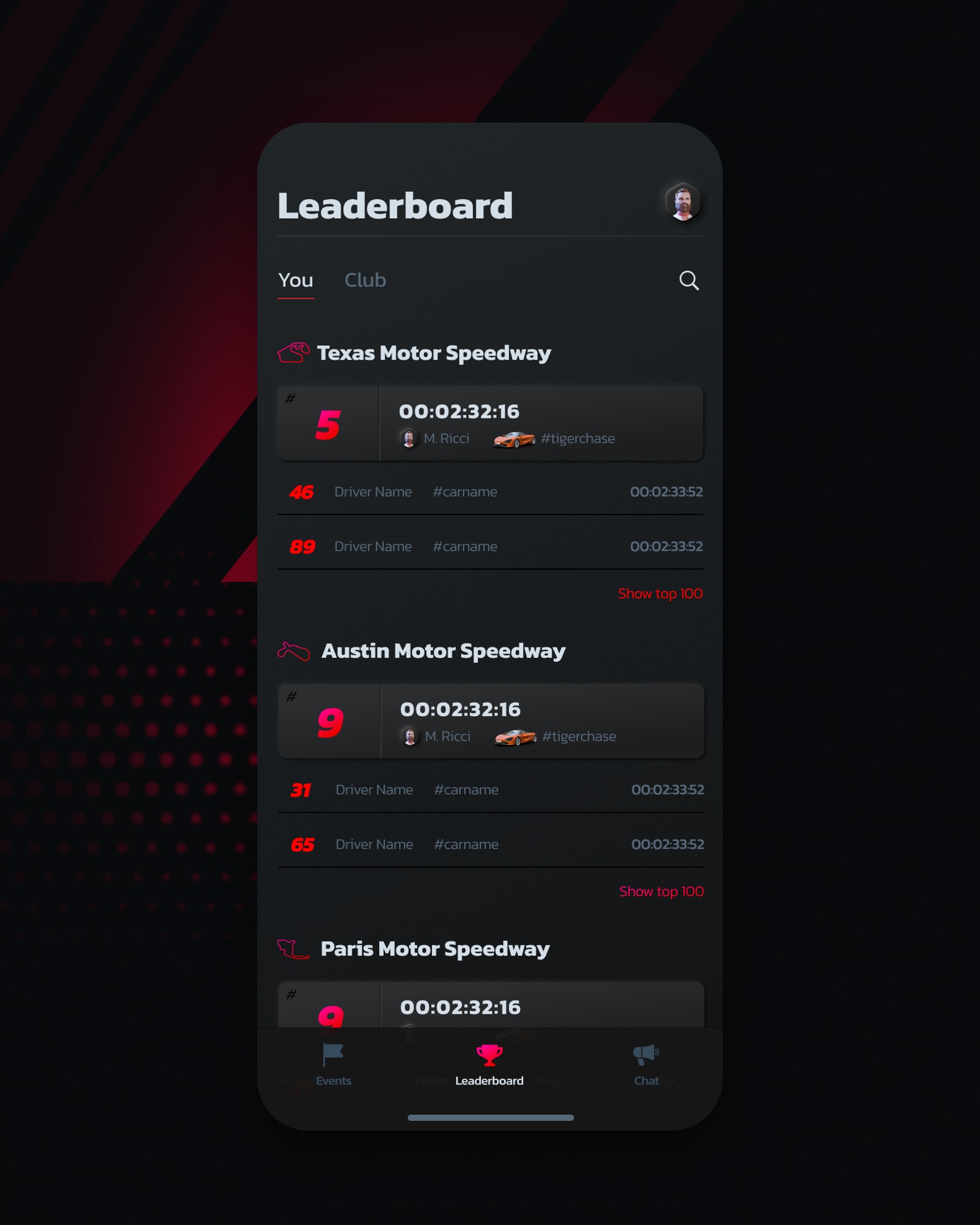
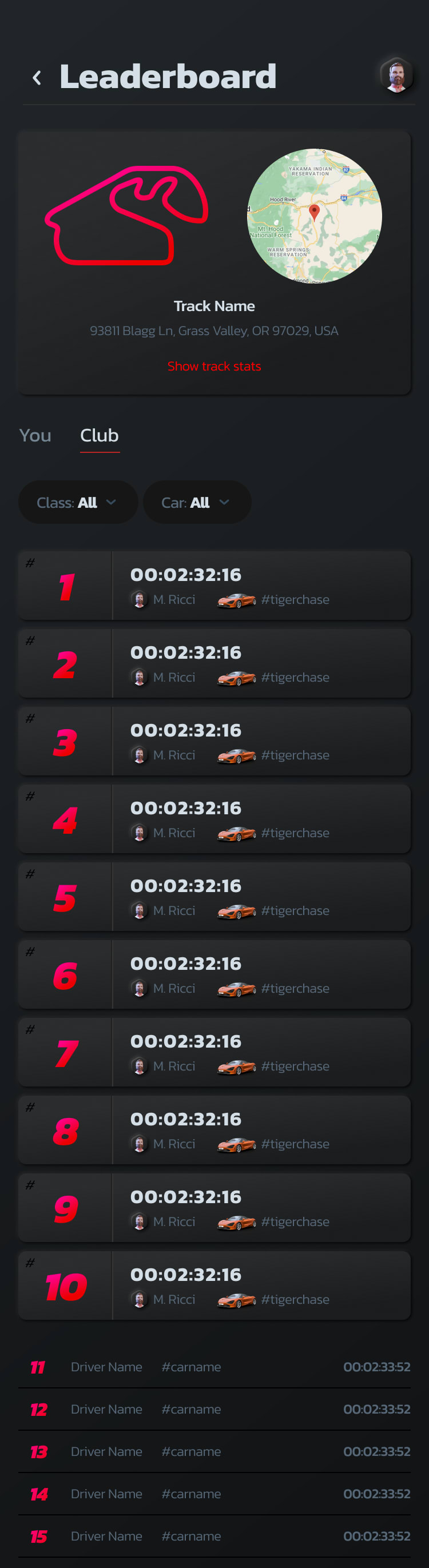
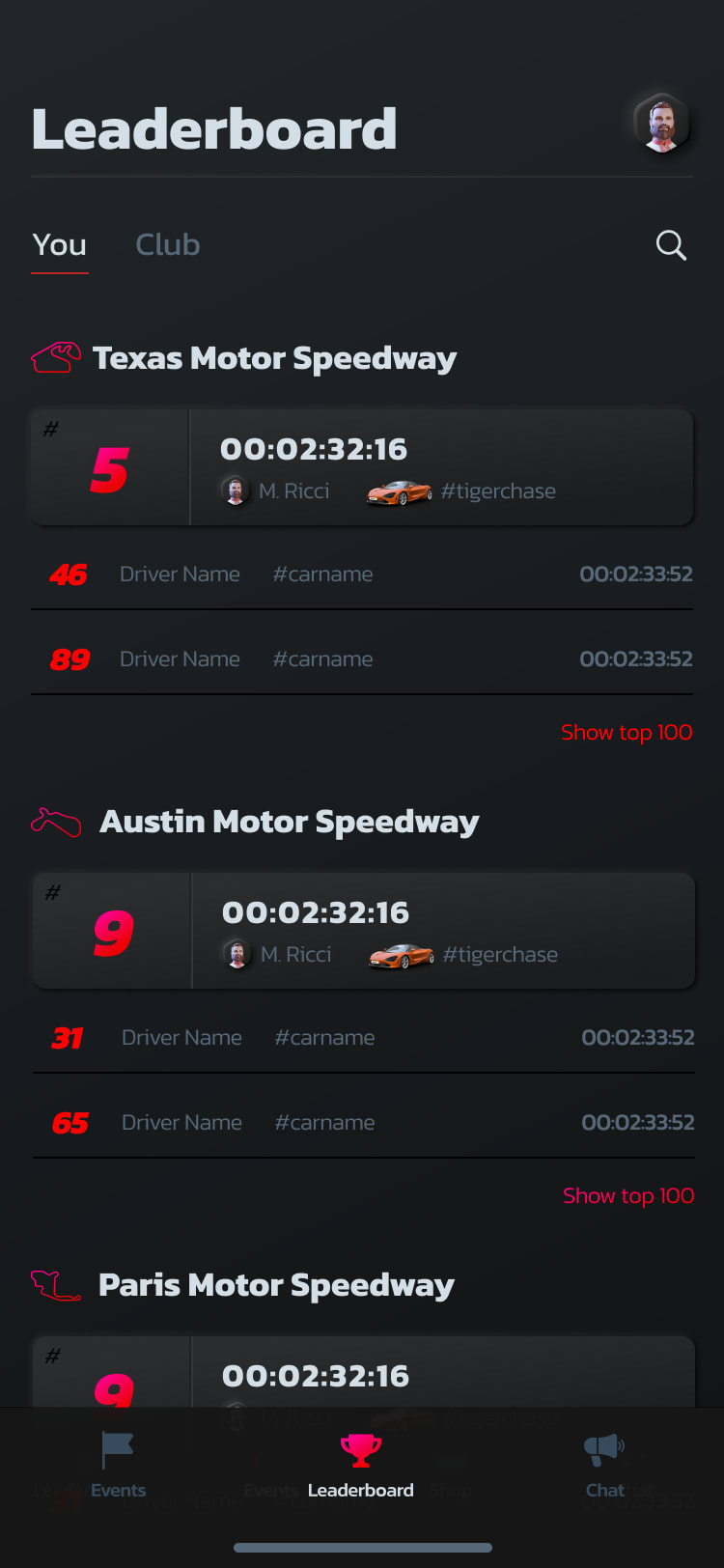
Motorsport is nighttime paddock light. The entire platform ships in dark mode. Deep charcoal surfaces, Rafa Racing red (#BA2528) as the primary brand color, and a secondary blue (#1977DA) reserved for interactive affordances. The typography runs on Kanit, condensed, bold, athletic. Leaderboard rank numbers render in ExtraBold Italic with a hot-pink-to-red gradient. The design system is iOS-native throughout.
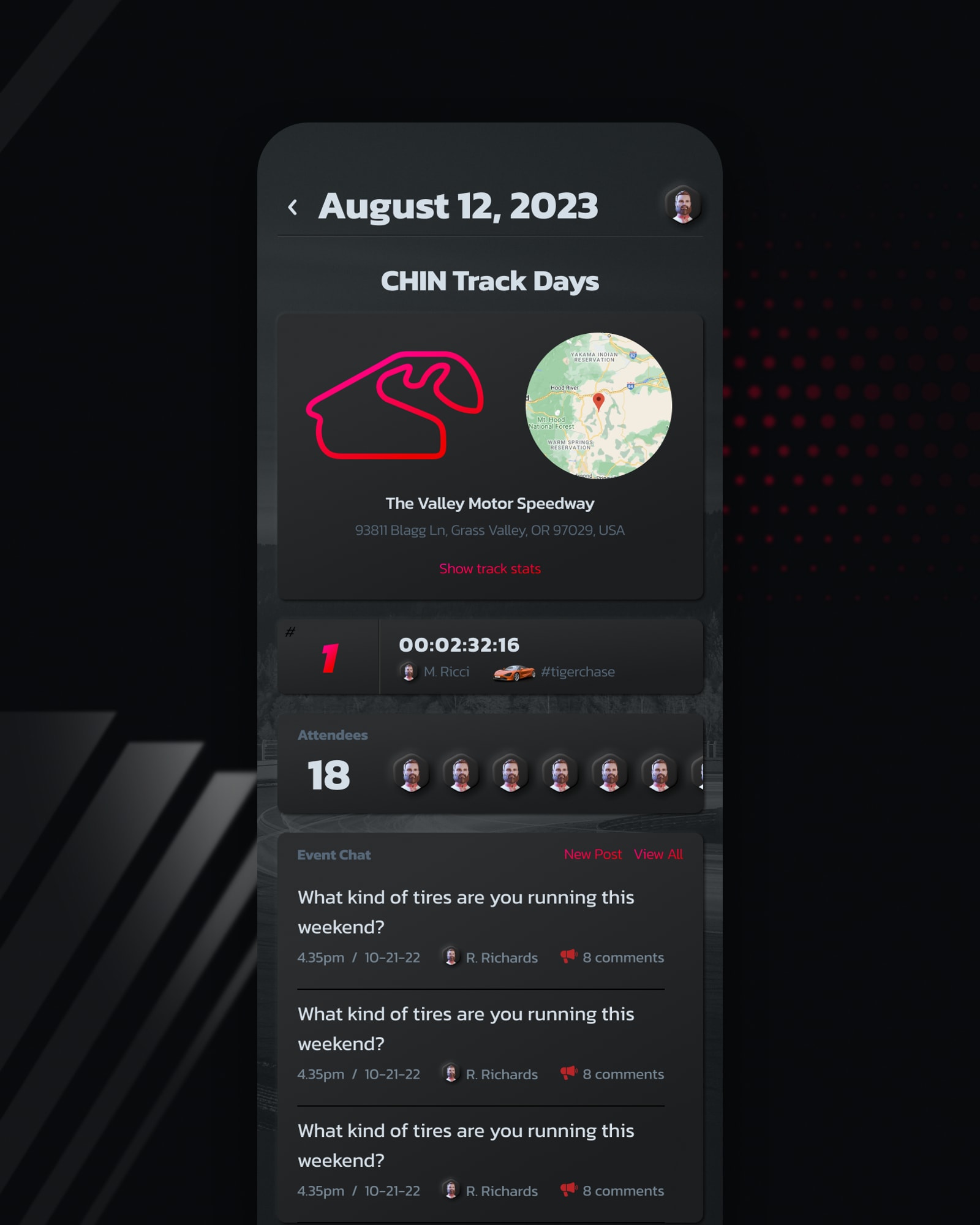
Three screens members would use most
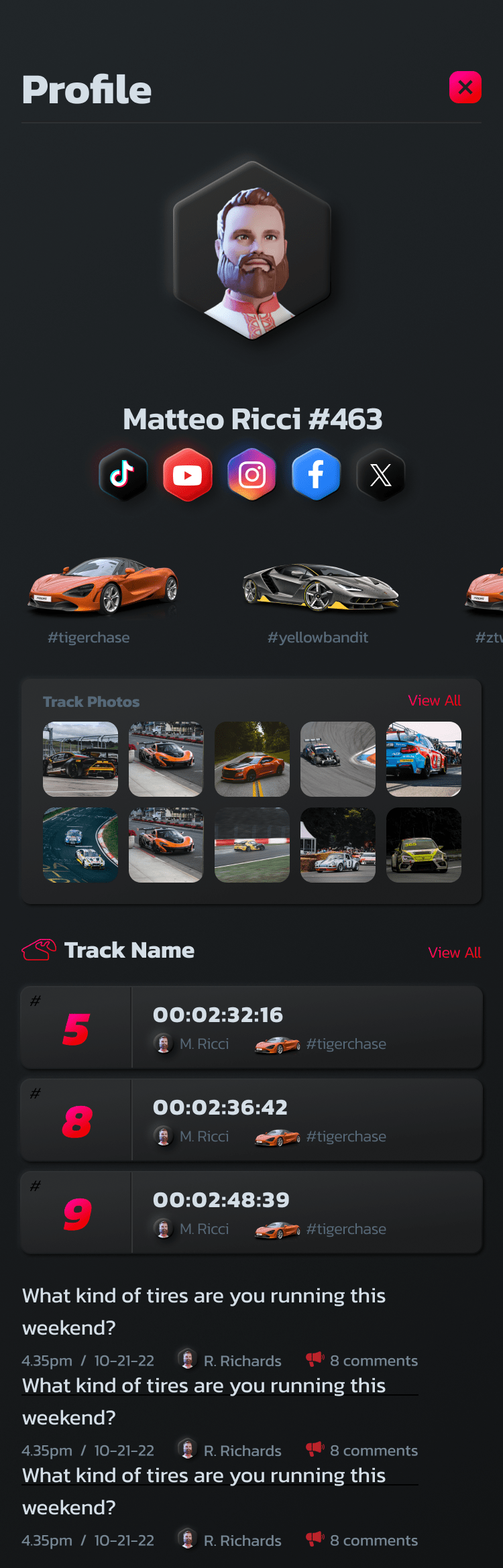

Profile
Leaderboard
Events
Profile
Leaderboard
Events
The rest of the clubhouse
The clubhouse feed
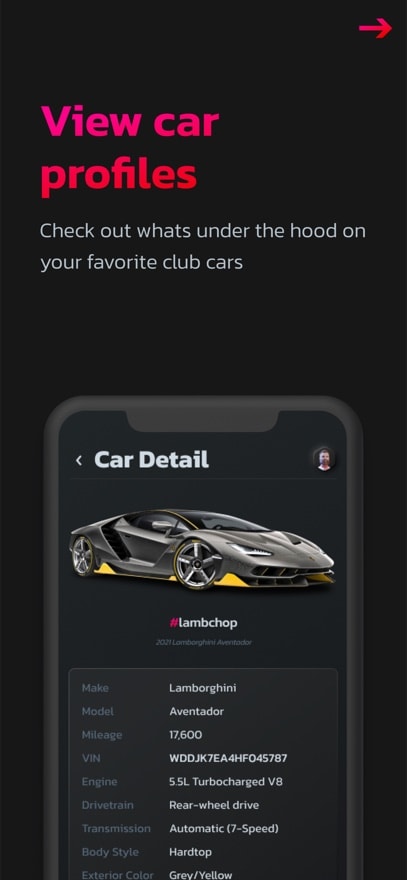
The #hashtag garage
Loading as brand voice
The clubhouse feed
The #hashtag garage
Loading as brand voice
Five decisions that made the product feel like itself.
Kanit: the typeface as a design decision, not a default
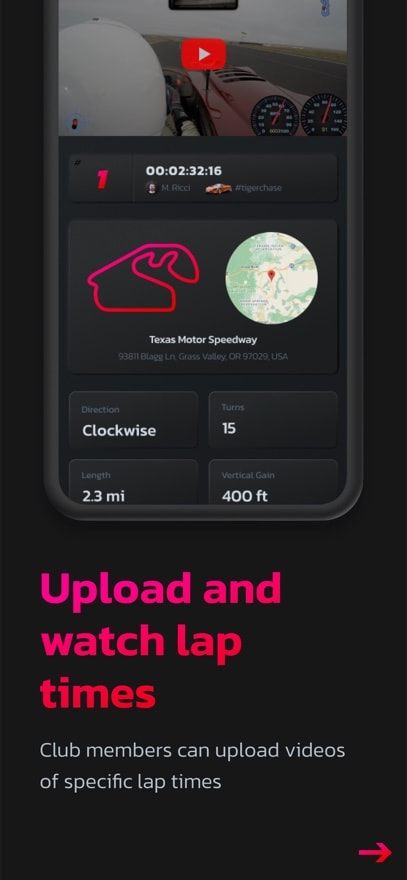
Condensed, geometric, athletic. Kanit formats lap times at 17px with the same authority it brings to the 36px leaderboard rank numbers in ExtraBold Italic with a hot-pink-to-red gradient. Competitive intensity through typography alone.
Typographic system identity
Hexagonal profile avatars
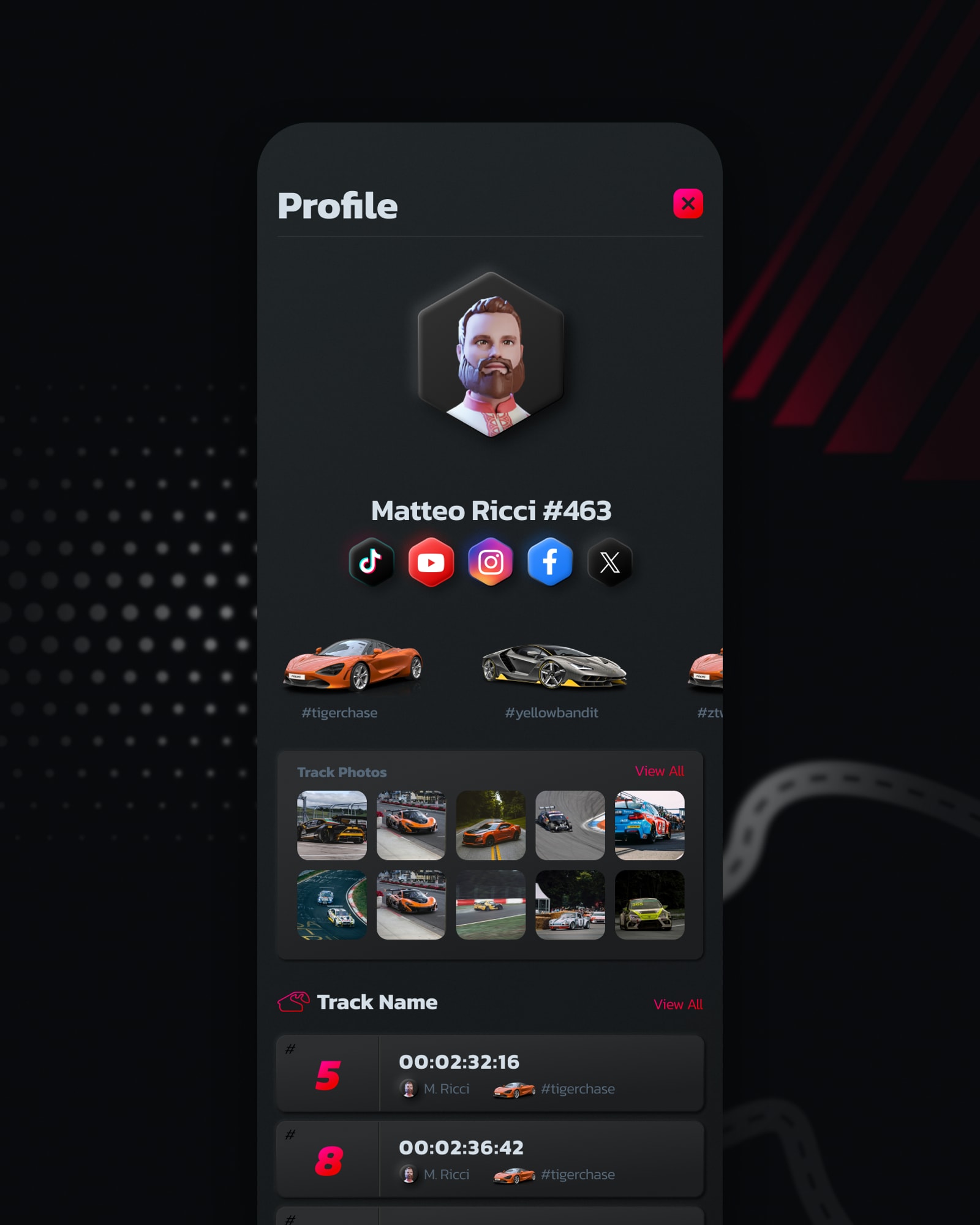
Circular avatars are default. A hexagonal clip, applied to user-uploaded photos, signals immediately that this app is built for a specific tribe. It carries from profile to event attendee rows to the leaderboard at every component size.
Differentiates at first open
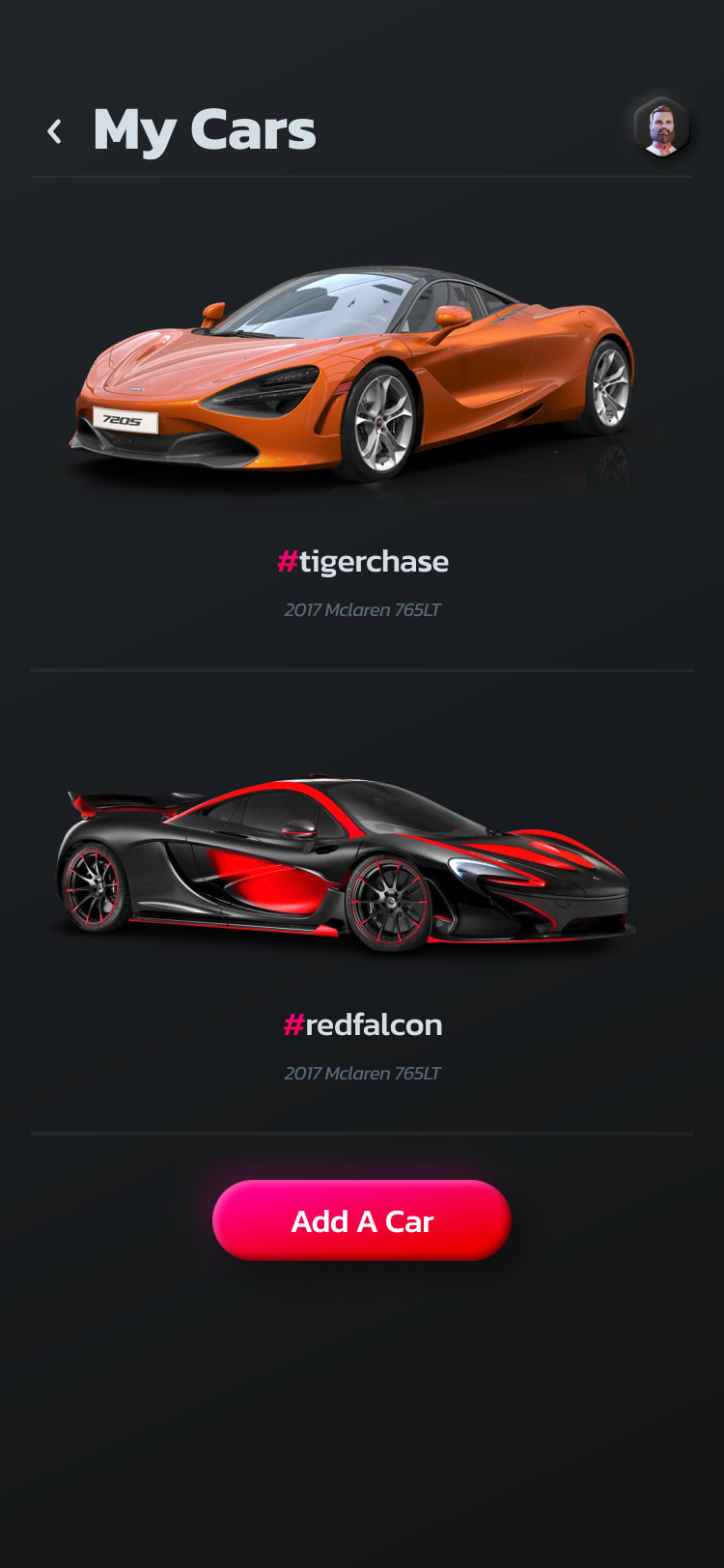
The #hashtag car identity system
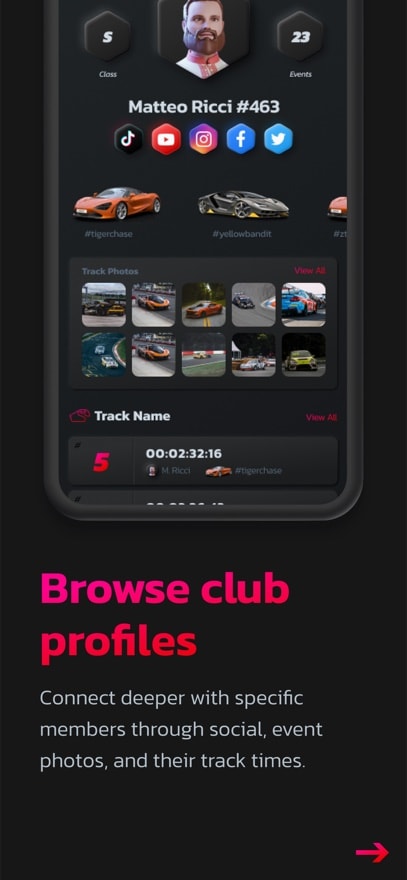
Members name their cars, #tigerchase, #yellowbandit, and that handle is their identity everywhere: event registration, lap times, leaderboard, shop. The red # earns its prominence every time it appears.
System-wide identity token
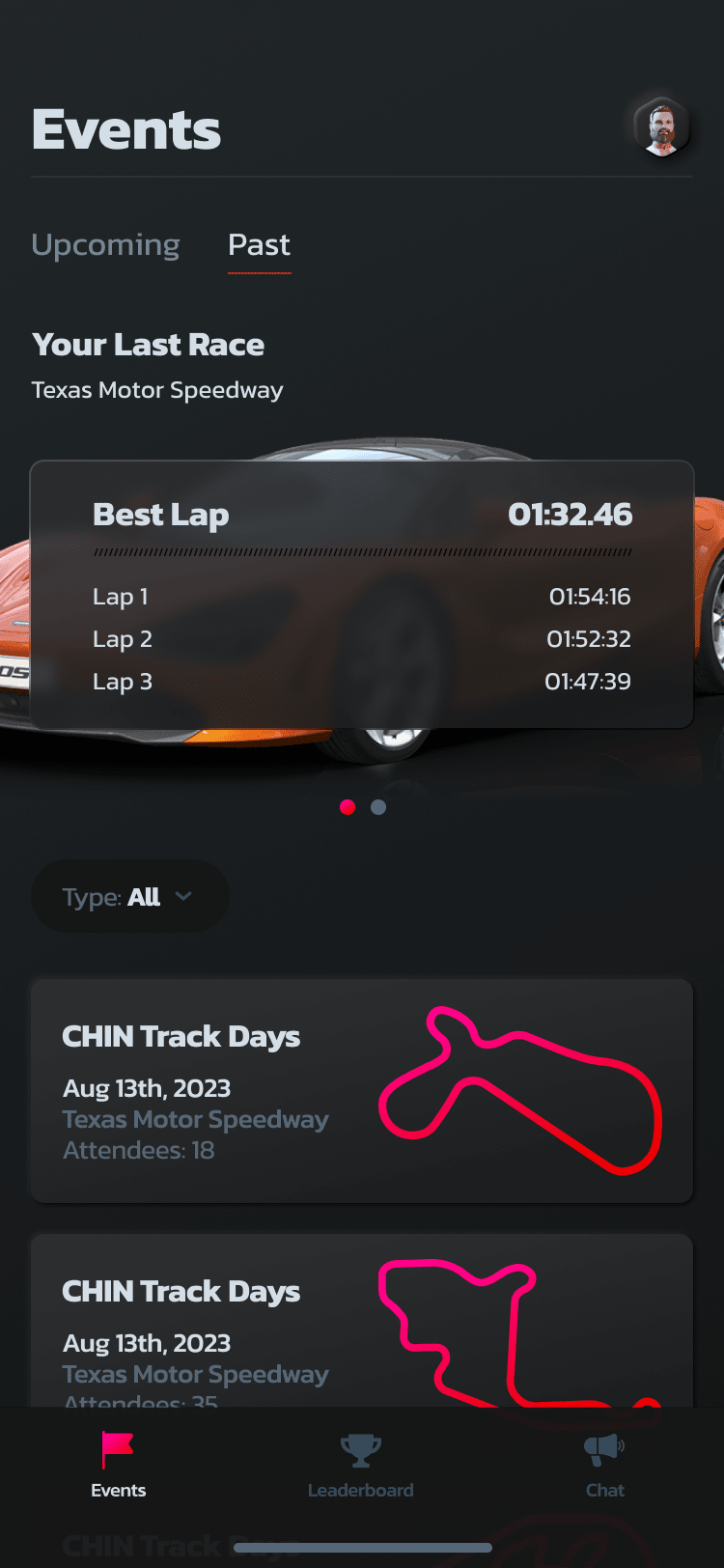
SVG race track illustrations, per event
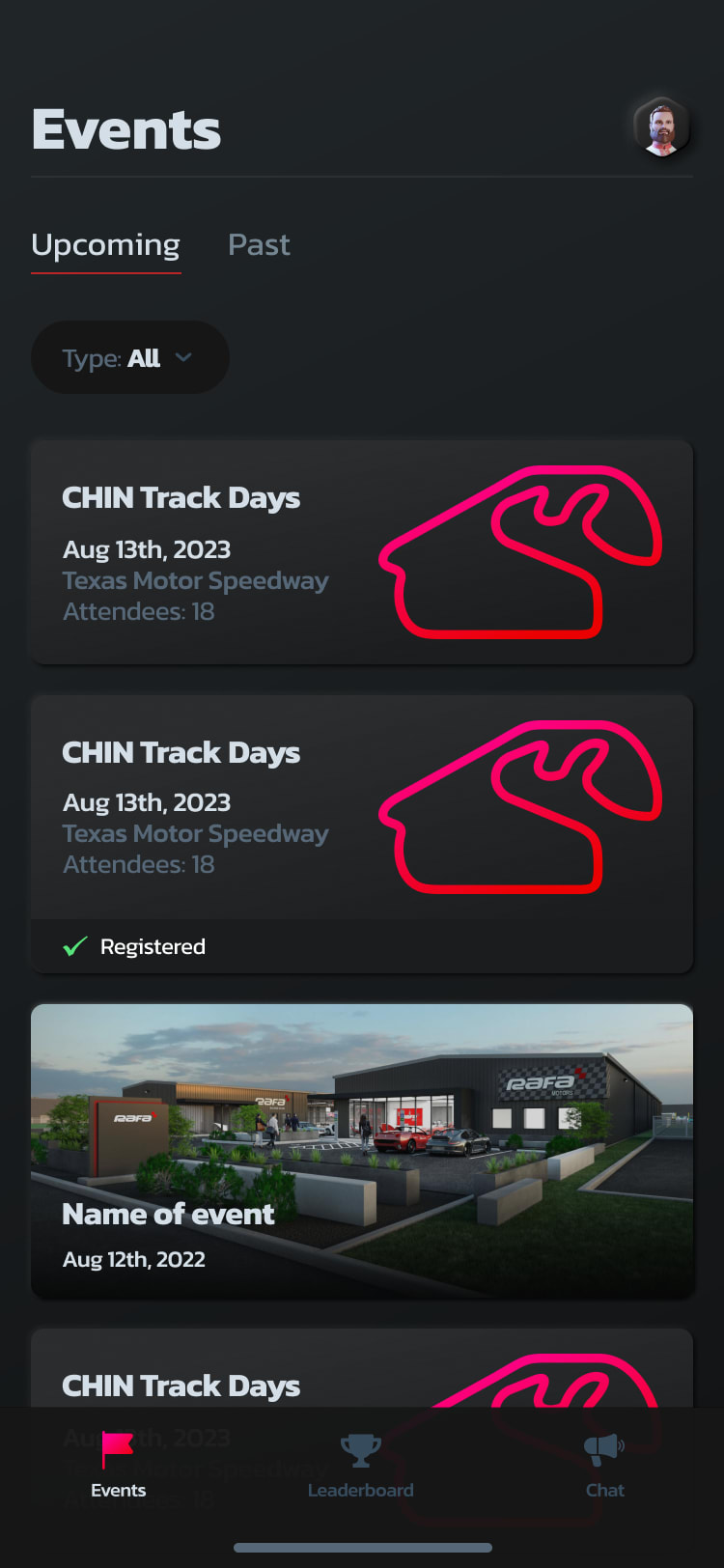
Each track has a custom SVG outline, Texas Motor Speedway, COTA, Austin, Paris, rendered in Rafa Racing red on dark event cards. Members recognize tracks from shape alone. Admin accepts SVGs as assets. New tracks extend the library without a design update.
Custom per-track asset library
Lap time entry gated to registered events, not a freeform log
Tying lap entry to a registered event means the system confirms the member was actually there before accepting data. It feeds the leaderboard with trustworthy times and gives the admin panel a meaningful participation record. One logic gate that removes a whole class of disputes.
Data integrity over flexibility
The system beneath the livery
The App Store campaign
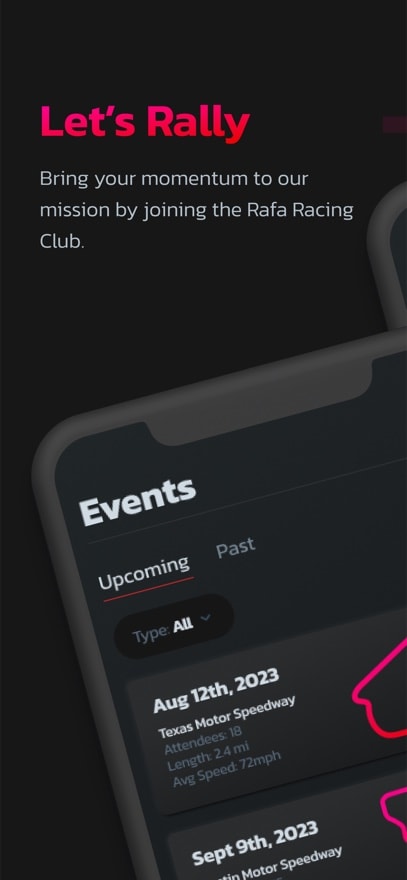
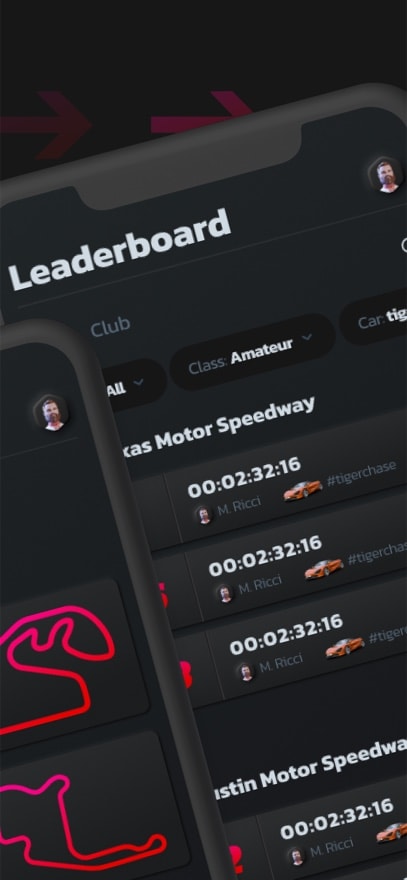
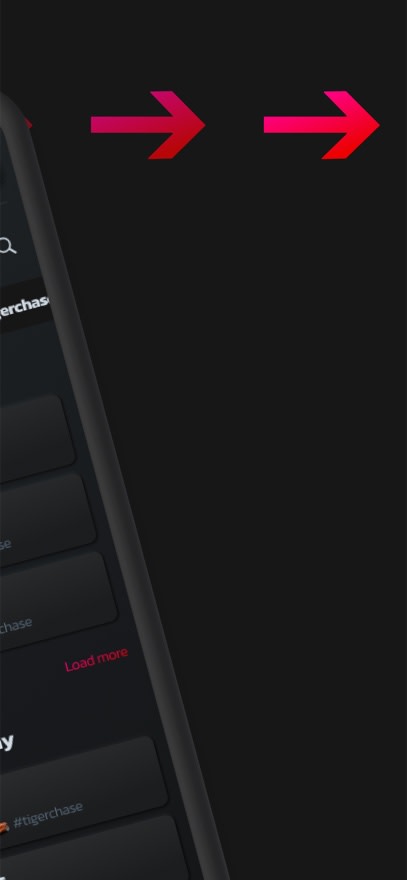
Everything we designed and built.
A 36k fixed fee across iOS app and web platform. Alongside Caleb Nance on development, Luis Lopez at Openlandmark on payments, and Zavida Mangaru as project manager. Four codebases, all React and React Native, with full-stack integration with Stripe, Mailchimp, and AWS S3. The feature list came from the client-approved list, and personas and their needs set the app’s hierarchy, discovery and usability.
- Membership ApplicationWeb form to Mailchimp to admin approval to setup emailWeb · Admin
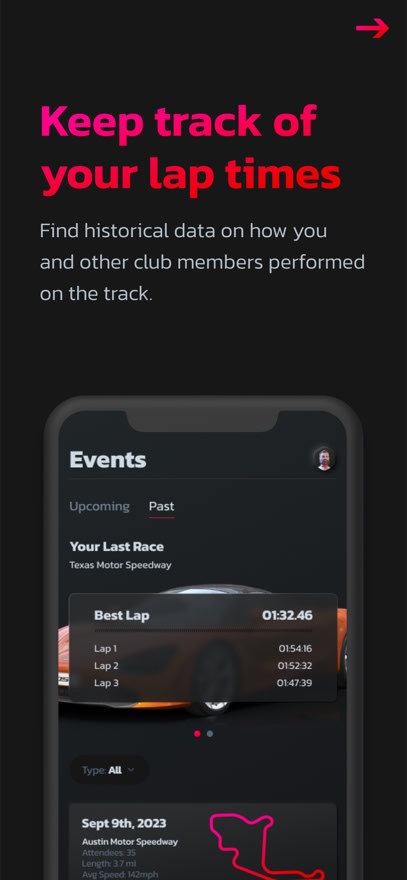
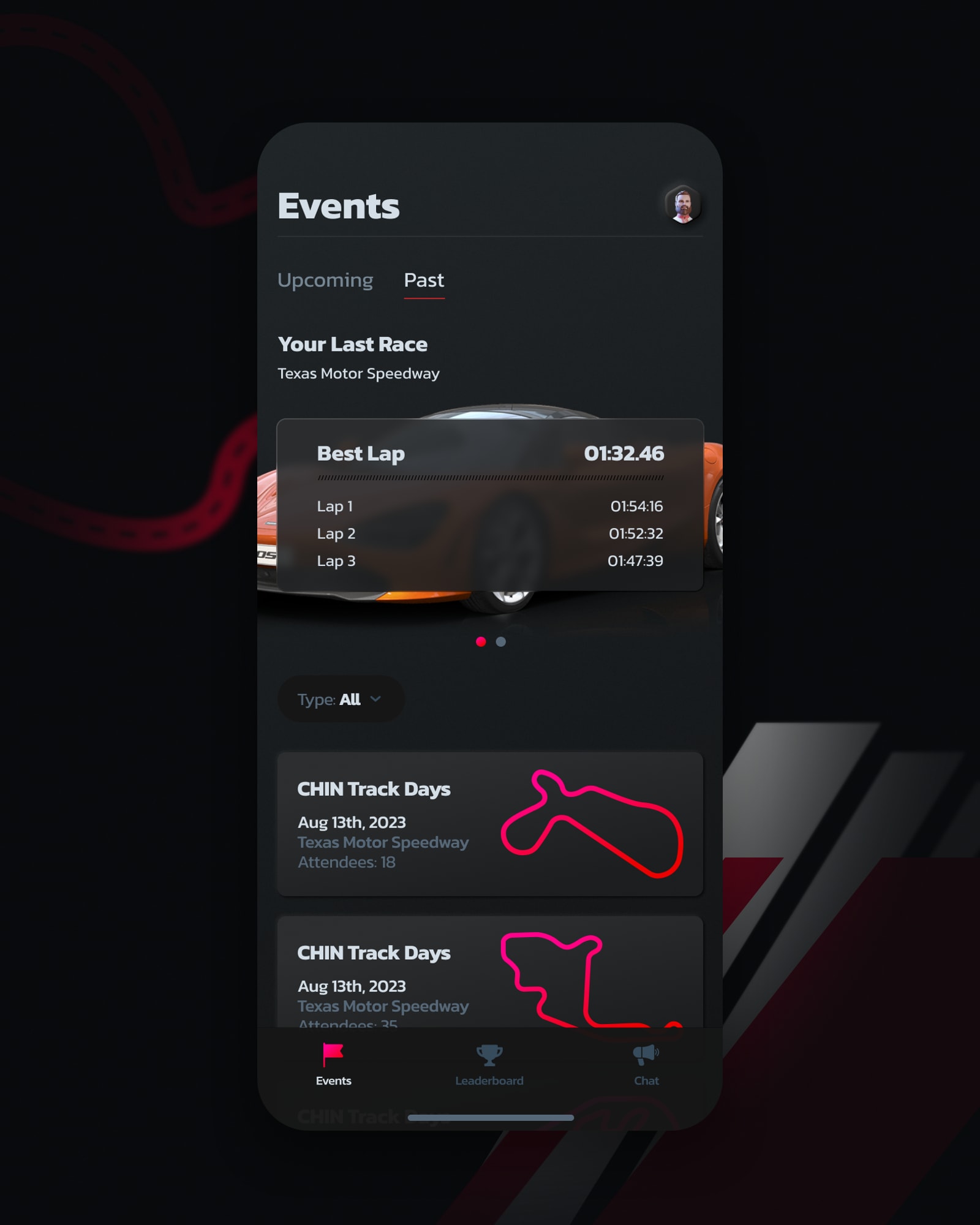
- EventsUpcoming and past, racing and social types, track SVG, “Your Last Race” recap with best lapiOS
- Event RegistrationCar selection, equipment add-ons, transport fields, Stripe payment, event perksiOS · Web
- Lap Time TrackingPost-event entry, per-car, millisecond precision, locked to registered eventsiOS
- LeaderboardPersonal standings per track, community board, gradient rank numbers, top-100 expansioniOS
- Profile and CarsHex avatar, racing number, social links, car hashtag library, track photos, event historyiOS
- Clubhouse ReservationsDriving and golf simulator booking, time-slot selection, admin calendar viewiOS · Admin
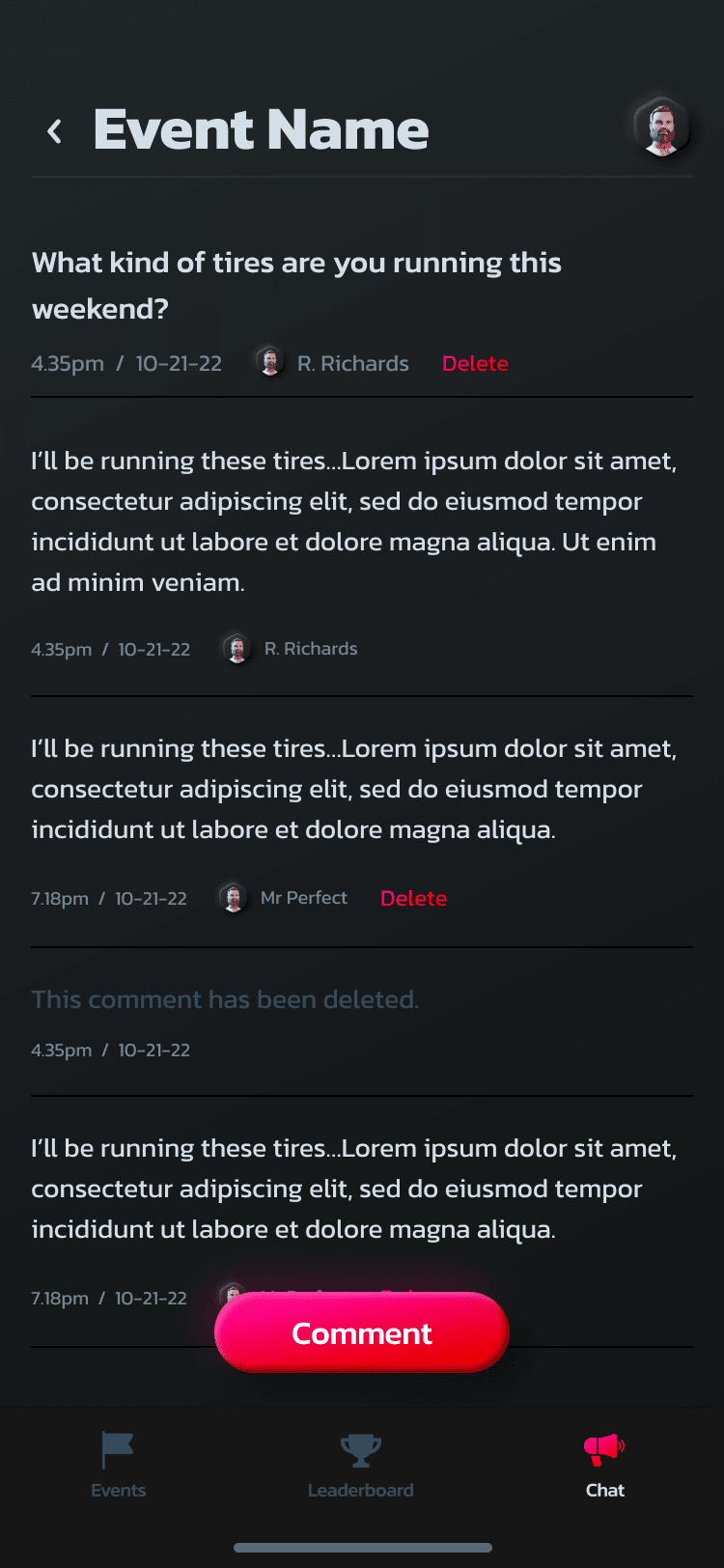
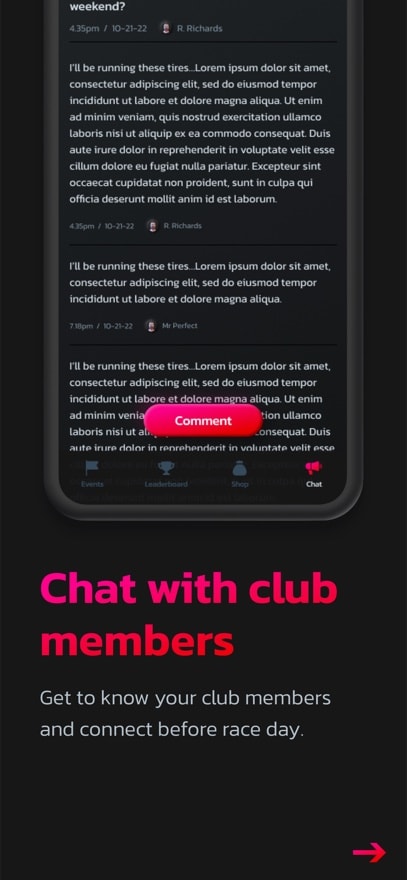
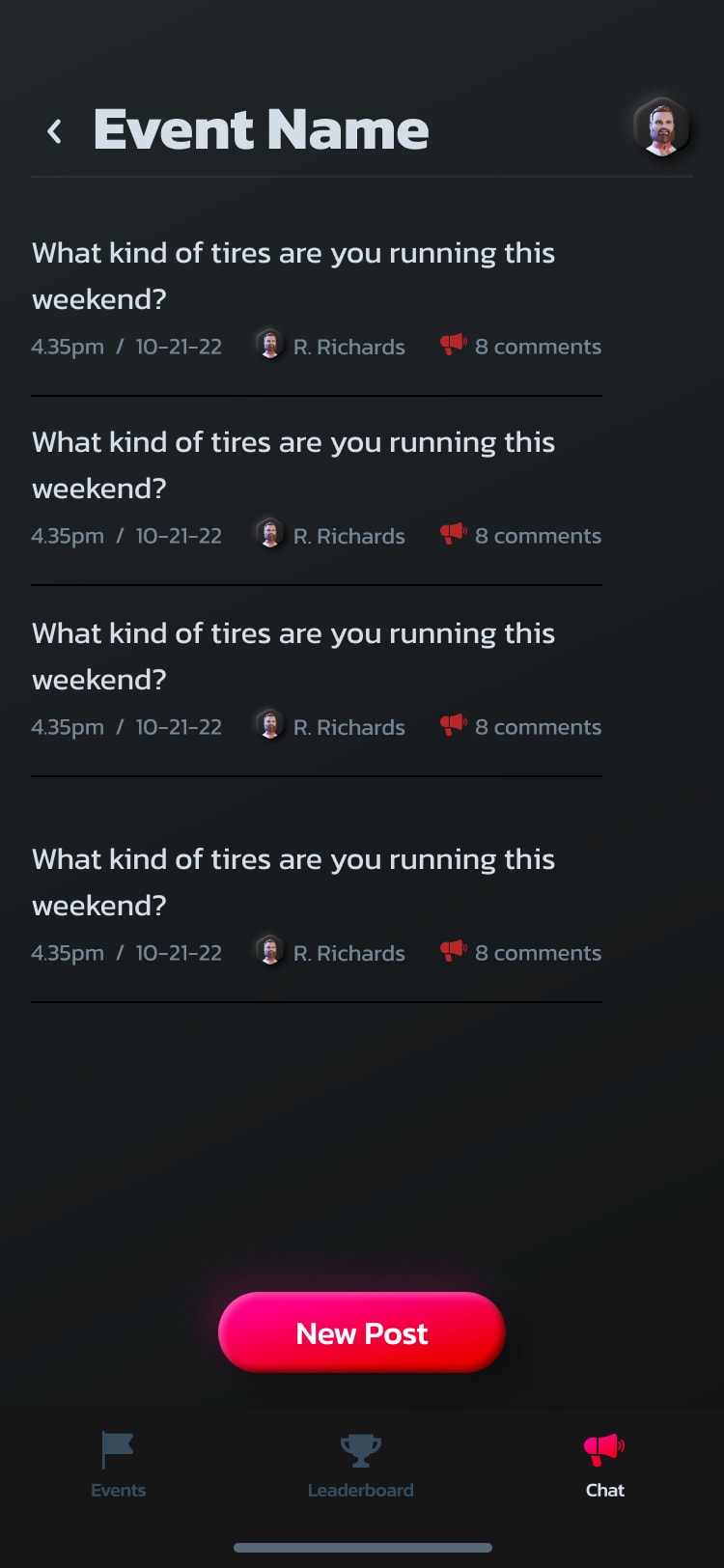
- Chat and CommunityPer-event post feed, comments, photo uploadsiOS
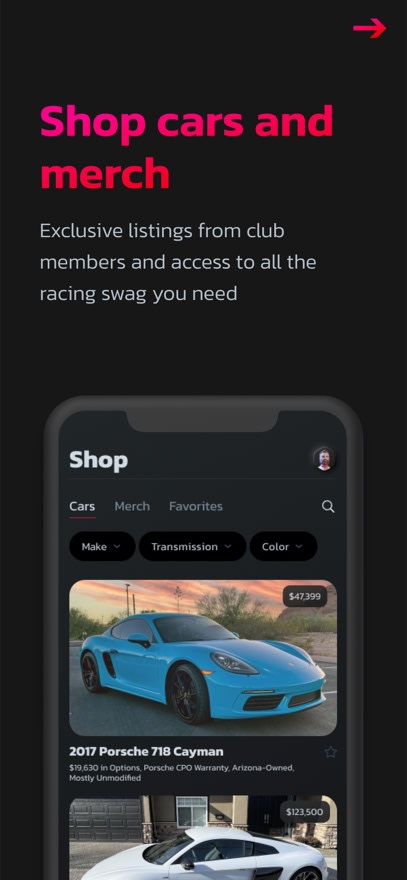
- ShopRental cars by hashtag, equipment, Shopify-connected merchiOS
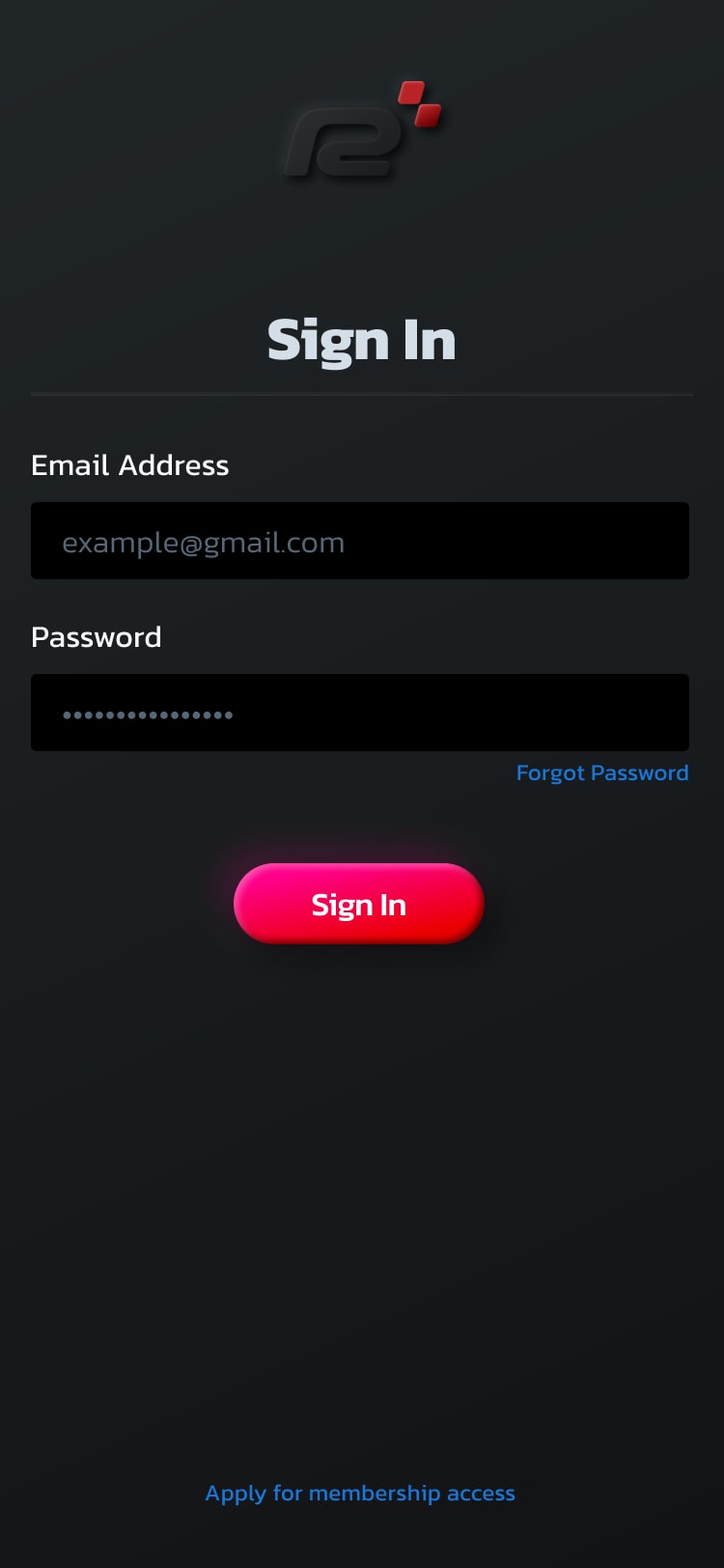
- AuthenticationEmail and password, Face ID and Touch ID, forgot password flowiOS · Web
- Admin PanelMember tiers, events and tracks CRUD, rental cars, equipment, simulator scheduling, approval workflowWeb · Admin
| Feature area | What we built | Platform |
|---|---|---|
| Membership Application | Web form to Mailchimp to admin approval to setup email | Web · Admin |
| Events | Upcoming and past, racing and social types, track SVG, “Your Last Race” recap with best lap | iOS |
| Event Registration | Car selection, equipment add-ons, transport fields, Stripe payment, event perks | iOS · Web |
| Lap Time Tracking | Post-event entry, per-car, millisecond precision, locked to registered events | iOS |
| Leaderboard | Personal standings per track, community board, gradient rank numbers, top-100 expansion | iOS |
| Profile and Cars | Hex avatar, racing number, social links, car hashtag library, track photos, event history | iOS |
| Clubhouse Reservations | Driving and golf simulator booking, time-slot selection, admin calendar view | iOS · Admin |
| Chat and Community | Per-event post feed, comments, photo uploads | iOS |
| Shop | Rental cars by hashtag, equipment, Shopify-connected merch | iOS |
| Authentication | Email and password, Face ID and Touch ID, forgot password flow | iOS · Web |
| Admin Panel | Member tiers, events and tracks CRUD, rental cars, equipment, simulator scheduling, approval workflow | Web · Admin |
Click through the live flow.
A working slice of the iOS app. Use the tabs to move between the screens a member would navigate, and scroll any screen to its full length. The complete clickable prototype lives in Figma.
Sign in to the leaderboard, tap by tap
Clickable prototype.
Follow the steps below as you click around
- 01Sign in
- 02Events, upcoming
- 03Event detail
- 04Leaderboard
- 05Chat
Clickable prototype.
Follow the steps below as you click around
- 01Sign in
- 02Events, upcoming
- 03Event detail
- 04Leaderboard
- 05Chat
Scroll to step through — or tap the screen's live regions
Clickable prototype.
Follow the steps below as you click around
Sign in
The panel that runs the club behind the scenes.
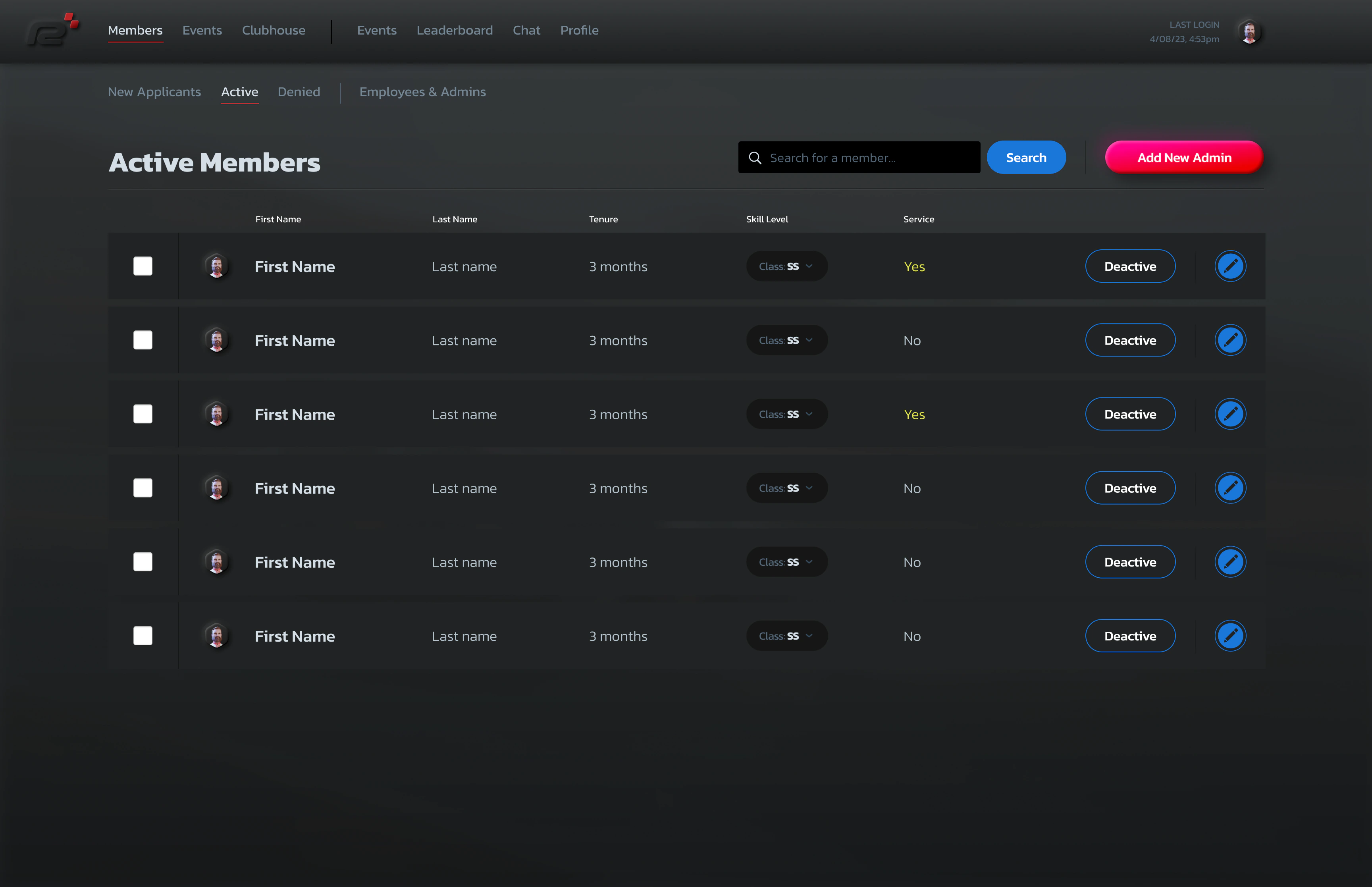
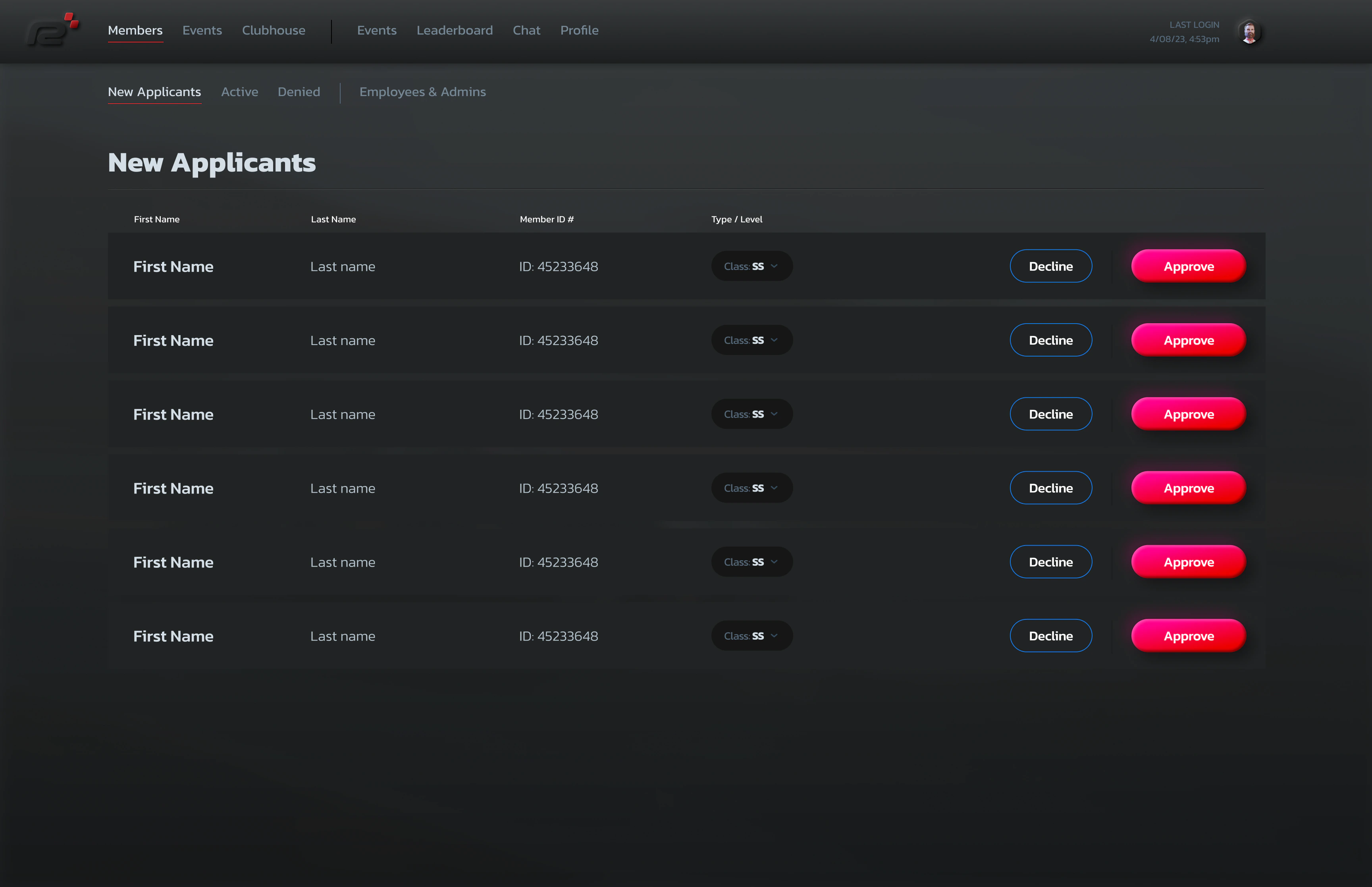
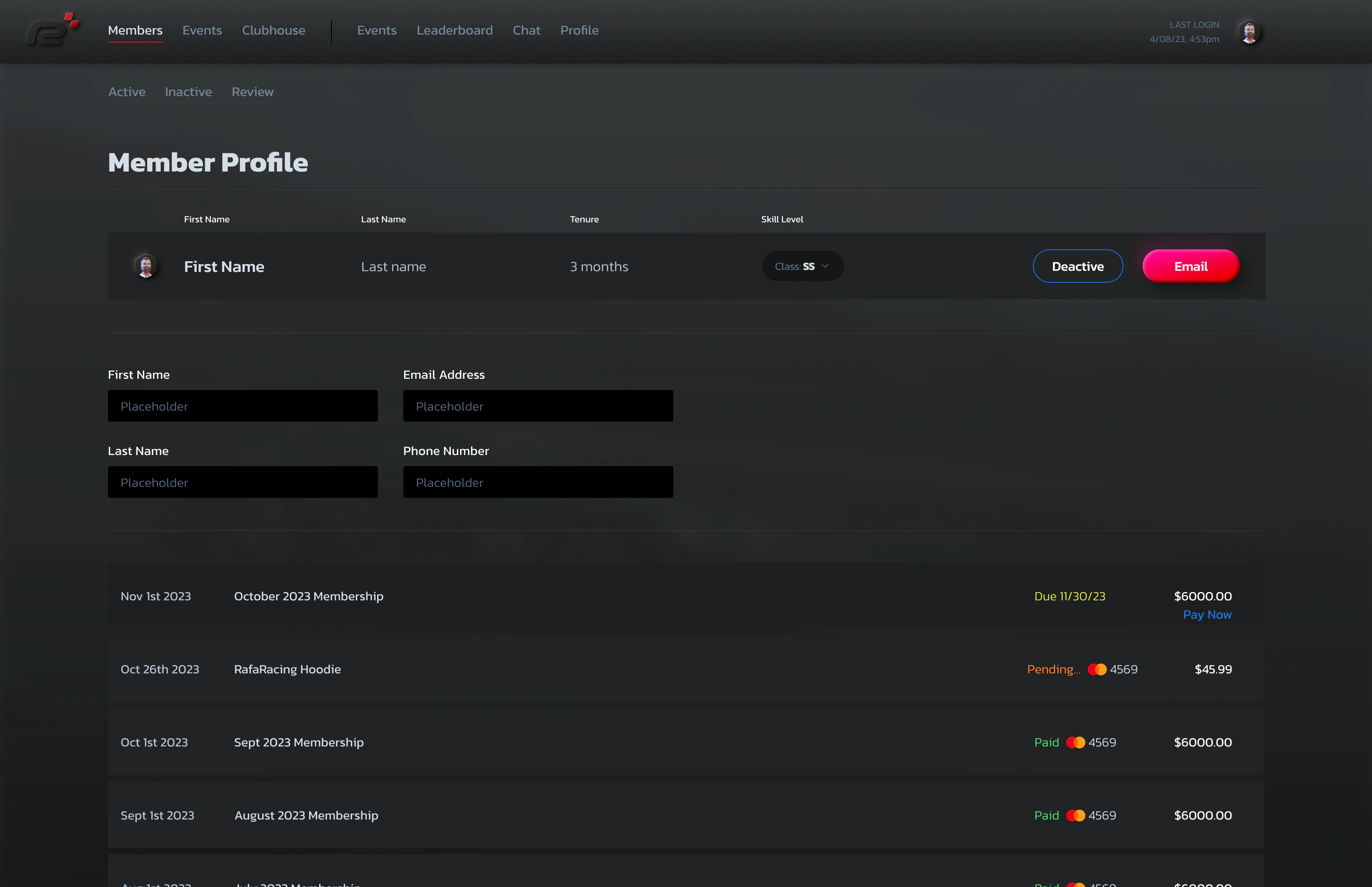
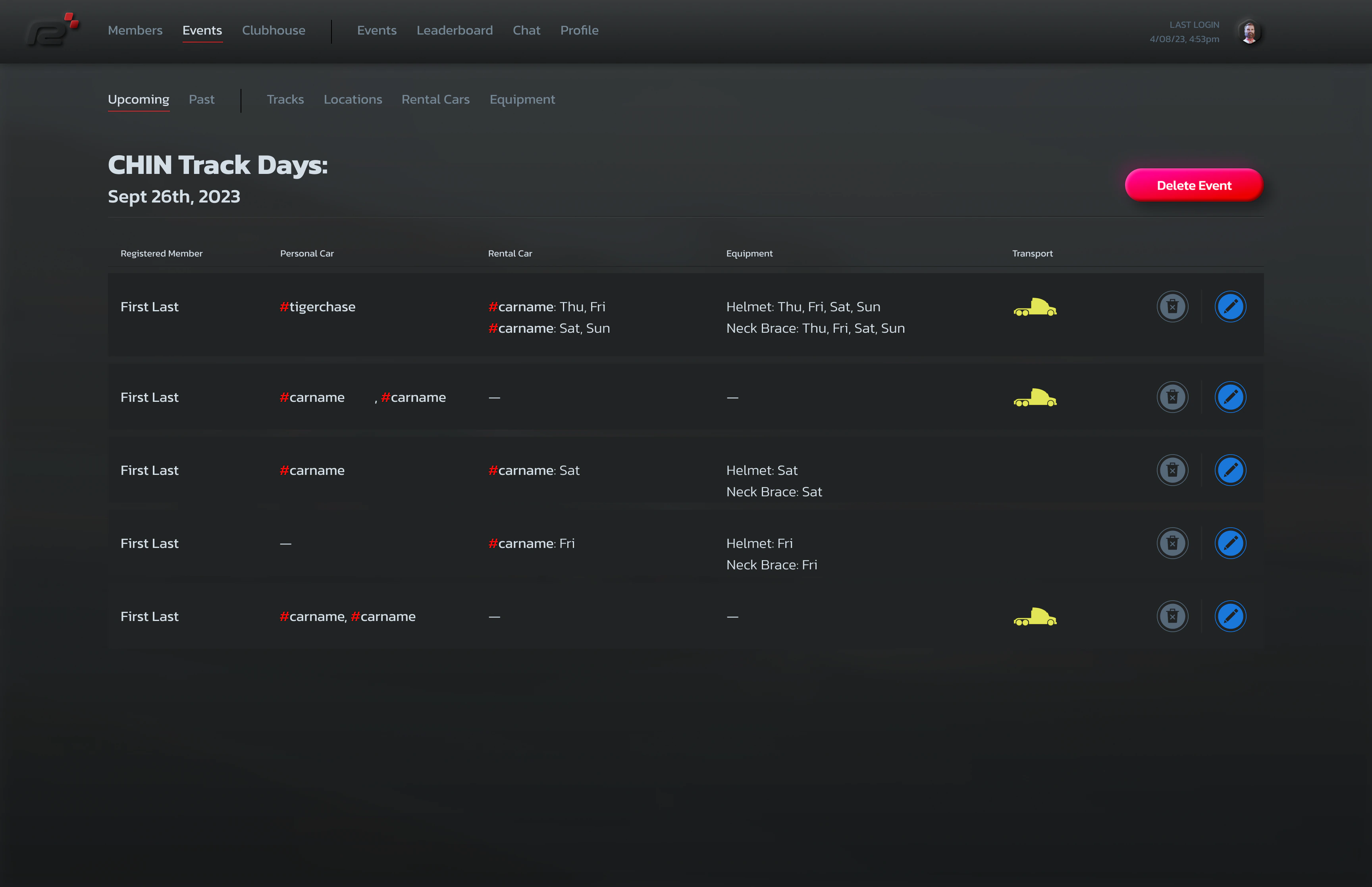
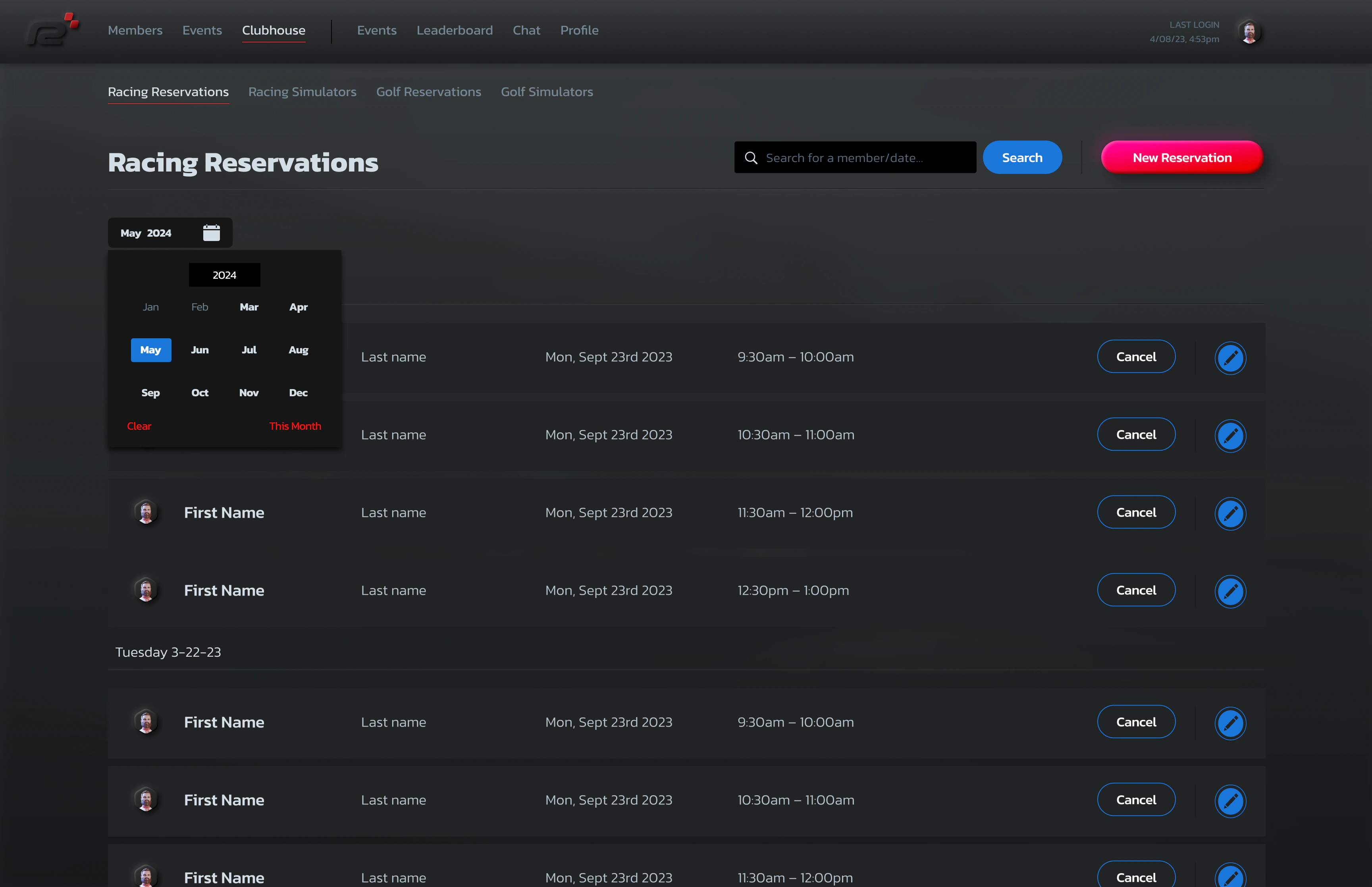
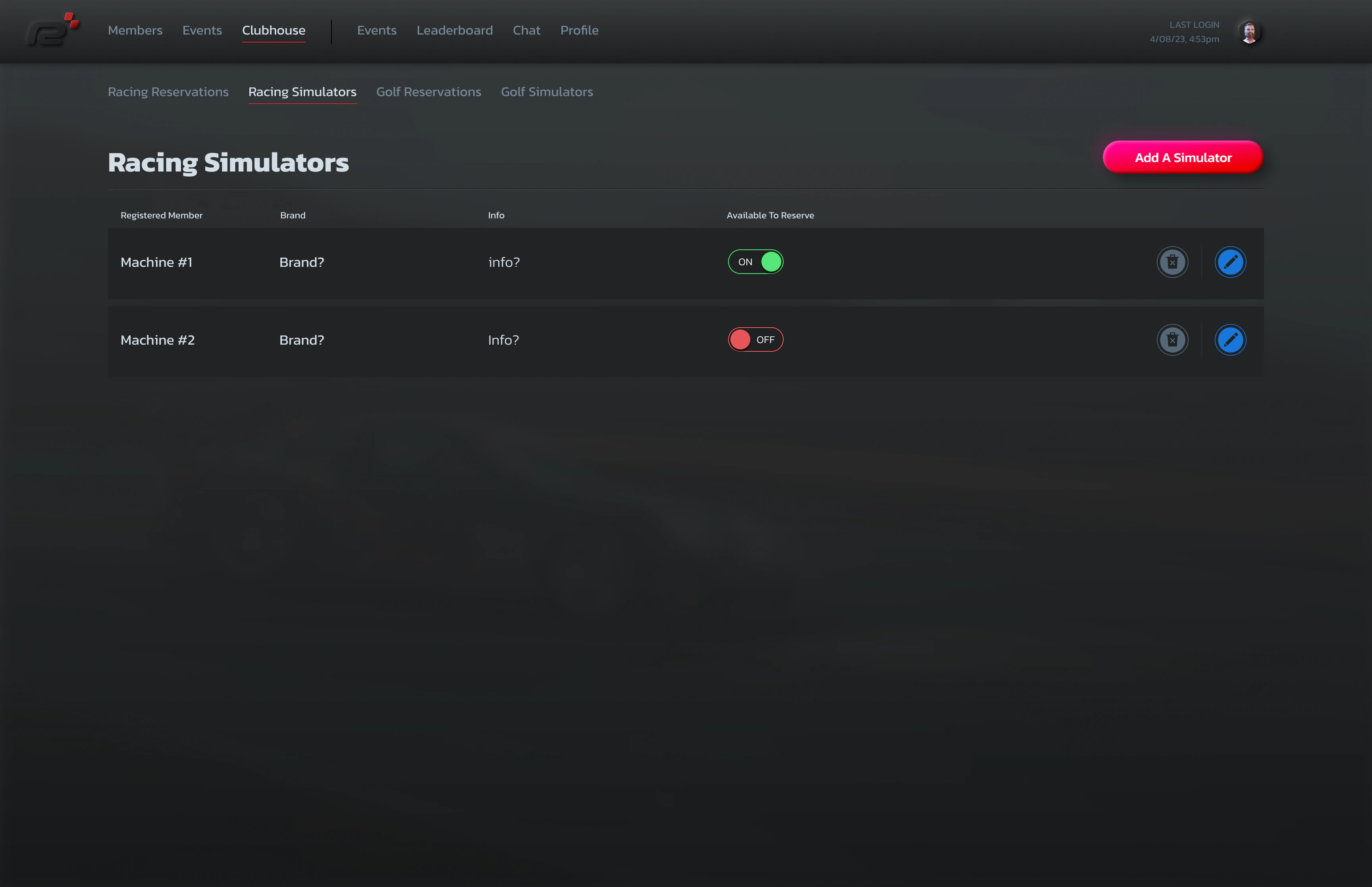
A Next.js web application at admin.rafaracing.app. The same backend, a different surface. Approving applications, loading events and tracks, managing rental inventory, monitoring simulator reservations. Permission tiers are hard-coded at the database level. One Super Admin, below which Admins and Employees operate within defined limits.
- admin.rafaracing.app/members/active
- Members, active
- admin.rafaracing.app/members/review
- Members, new applicants
- admin.rafaracing.app/members/profile
- Members, profile detail
- admin.rafaracing.app/events/detail
- Events, event detail
- admin.rafaracing.app/clubhouse
- Clubhouse, reservations
- admin.rafaracing.app/clubhouse/simulators
- Clubhouse, simulators
The admin panel, screen by screen
How the club fits together
Member journey
- Sign In, then Home
- Home, then Race: Upcoming events; or Compete: Leaderboard; or Talk: Chat; or Manage: Profile
- Upcoming events, then Event detail
- Event detail, then Register
- Register, then Apple Pay
- Apple Pay, then Confirmation
- Confirmation
- Leaderboard, then Car detail
- Car detail
- Chat, then Post
- Post
- Profile
“We moved quickly from concept and design to a working platform that supported the vision for a first-of-its-kind racing club. Levi’s design work helped turn a complex idea into something real and tangible.”

New knowledge or insights gained
On a platform, coherence is the hard part.
The app was not the difficult surface. Keeping iOS, web admin, consumer web and email in one voice was, because every change rippled through the same backend. I now set the shared voice and components before the first surface ships.
Iterate where the developer already works.
We worked through Figma comments with the developer, build by build. That loop kept the product feeling unified rather than patched, and I run it on every interconnected build now. To make this one sing, I would have needed club members and team members beta testing the flows.